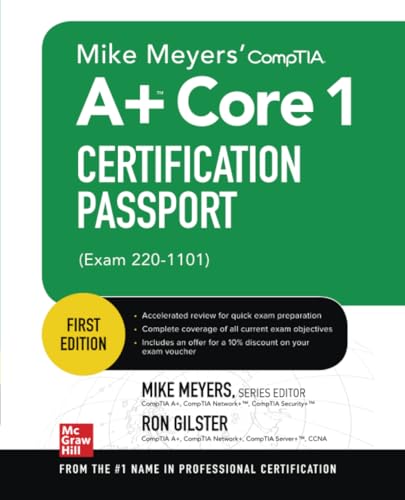
Mike Meyers' CompTIA A+ Core 1 Certification Passport (Exam 220-1101)/ by Mike Meyers & Ron Gilster.
Material type: TextPublication details: New York : McGraw Hill, c2023.Edition: 1st edDescription: xxvii, 337 pages: b&w illus. ; 23 cmISBN:
 - 9781264605651
- Ref 004.076 M57m 2023
| Item type | Current library | Collection | Call number | Status | Barcode | |
|---|---|---|---|---|---|---|
 Books
Books
|
ASCOT Library - Zabali Campus Reference | Reference | Ref 004.076 M57m 2023 (Browse shelf(Opens below)) | Available | Ref0040704900 |
Browsing ASCOT Library - Zabali Campus shelves, Shelving location: Reference, Collection: Reference Close shelf browser (Hides shelf browser)

|

|

|

|

|

|
|
||
| Ref 004 K96l 2023 Living in the IT era / | Ref 004 P25n 2023. New perspectives on computer concepts : introductory / | Ref 004 P25n 2023. New perspectives on computer concepts : comprehensive / | Ref 004.076 M57m 2023 Mike Meyers' CompTIA A+ Core 1 Certification Passport (Exam 220-1101)/ | Ref 004.21 Sy87s 2023. Systems analysis and design / | Ref 004.6 D54f 2023 C1 04628 Fundamentals of internet of things: for students and professionals / | Ref 004.6 D54f 2023 C2 04629 Fundamentals of internet of things: for students and professionals / |
Includes bibliographical references and index.
Get on the fast track to becoming CompTIA A+ certified with this affordable, portable study tool. Inside, certification training gurus Mike Meyers and Ron Gilster guide you on your exam preparation path, providing expert tips and sound advice along the way. With an intensive focus on only what you need to know to pass the CompTIA A+ 220-1101 exam, this certification passport is your ticket to success on exam day.
Inside:
-Quick-reference tables and illustrated laptop teardown enhance coverage of mobile devices (Exam 1101, Domain 1.0)
-Quick-reference tables help you master hardware troubleshooting (Exam 1101, Domain 5.0)
-Practice questions and content review after each objective prepare you for exam mastery
-Enhanced coverage of network laptop teardown, desktop hardware, and hardware and software troubleshooting
-Enhanced coverage of Windows 10/11, macOS, and Linux
-Enhanced coverage of computer security
Covers all exam topics, including how to:
-Work with CPUs, RAM, BIOS, motherboards, power supplies, and other personal computer components
-Install, configure, and maintain hard drives
-Manage input devices and removable media
-Set up, upgrade, and maintain all versions of Windows
-Troubleshoot and fix computer problems
-Install printers and other peripherals
-Configure and secure mobile devices
-Connect to the Internet
-Set up wired and wireless networks
-Protect your personal computer and your network
-Implement virtualization and cloud-based technologies
Online content includes:
-Practice exam for 220-1101
-Free sample of video training from Mike Meyers
-Free sample of interactive labs from Mike Meyers
-Mike Meyers’ favorite PC tools and utilities
Contents:
1.0 Introduction. --
2.0 Mobile Devices. --
3.0 Networking. --
4.0 Hardware. --
5.0 Virtualization and Cloud Computing. --
6.0 Hardware and Network Troubleshooting.
There are no comments on this title.