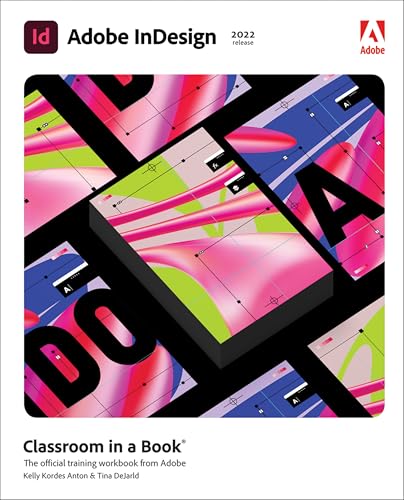
Adobe InDesign: classroom in a book (2022 release) / by Kelly Kordes Anton and Tina DeJarld.
Material type: TextPublication details: San Jose, CA : Adobe Press, c2022.Description: x, 438 pages : col. illus. ; 23 cmISBN:
 - 9780137622962
- Ref 686.2254 An88a 2022
| Item type | Current library | Collection | Call number | Status | Barcode | |
|---|---|---|---|---|---|---|
 Books
Books
|
ASCOT Library - Zabali Campus Reference | Reference | Ref 686.2254 An88a 2022 (Browse shelf(Opens below)) | Available | Ref6862205148 |
Browsing ASCOT Library - Zabali Campus shelves, Shelving location: Reference, Collection: Reference Close shelf browser (Hides shelf browser)

|

|

|

|

|

|

|
||
| Ref 670.427 W67i 2023 Industrial automation: systems and engineering / | Ref 671.35 T41t 2023 3G handy guide: machining / | Ref 671.52 P54w 2023 Welding engineering: an introduction / | Ref 686.2254 An88a 2022 Adobe InDesign: classroom in a book (2022 release) / | Ref 686.2254 C74a 2022 Adobe Photoshop Lightroom Classic: classroom in a book (2022 release) / | Ref 688.8 M42m 2023 Modern packaging technology / | Ref 690 T41t 2023 3G handy guide: constructions and supervision / |
Includes bibliographical references and index.
Contents:
Chapter 1. Introducing the workspace. --
Chapter 2. Getting to know InDesign. --
Chapter 3. Setting up a document and working with pages. --
Chapter 4. Working with objects. --
Chapter 5. Working with color. --
Chapter 6. Flowing text. --
Chapter 7. Editing text. --
Chapter 8. Working with typography. --
Chapter 9. Working with styles. --
Chapter 10. Creating tables. --
Chapter 11. Importing and modifying graphics. --
Chapter 12. Working with transparency. --
Chapter 13. Printing and exporting. --
Chapter 14. Creating Adobe PDF files with form fields. --
Chapter 15. Creating a fixed-layout Epub and publishing online.
"Build a strong foundation of typographic, page layout, and document-construction skills through the step-by-step lessons in this book. The real-world projects―ranging from a printed postcard with a QR code to an interactive Adobe PDF with form fields―are designed to guide novice Adobe InDesign users through the most fundamental features to the most powerful. Experienced InDesign users learn best practices and explore features that will rapidly become a designer's best friend, such as intelligent image placement and access to the Adobe Fonts library."-- Provided by publisher.
There are no comments on this title.